• Technology
  • Sales and Marketing
  • Blogging
  • Site Maintenance
  • Making Money

WebStyle

Helpful tips, latest gadgets and News

  • Home
  • Blog
  • Archive
  • Links
  • Guest Blogger
  • About
  • Contact


You are here: Home / Archives for stand alone

Split large PDF files with A-PDF Size Splitter

by Tricia

Have you ever had a PDF file – perhaps one that you’ve created on your own or one that you need to send by email to someone else that’s just huge? Some people have very small or almost full mailboxes. Send a file that’s too large and they won’t get it at all. Your email will bounce back to you.

Lucky for you there’s a simple desktop utility called A-PDF Size Splitter which will let you split any Acrobat PDF file or group of files into smaller PDF files.

The great thing about this program is that you can control the size of each of your split files as well as how they are named.

This is a stand alone program which means that you do not even have to have a copy of Adobe Acrobat or Adobe reader for A-PDF size Splitter to work. You can use it for batch operations if you have multiple files or splits to create.

A-PDF Size Splitter supports both user and owner password protected PDF files and allows the keeping of the original file encryption.

Documents created using A-PDF Size Splitter are compatible with Adobe Acrobat Reader Version 5 so you can be assured that whomever you are sending the smaller size PDF files too should be able to read the documents.

If you think that this is a program that you could use you can download the program and use it for a 15 day trial. After that if you’d like to continue using the program you’ll need to buy a copy for the low price of only $27 USD.

Afordable PDF Tools carries a whole line of software that can be used with PDF files. Take a look at the various programs on the purchase page.


Filed Under: Computer Software, How To, Items to Try, Software, Technology Tagged With: a pdf size splitter, desktop software, download, email, free trial, large files, PDF, PDF files, protect, Software, split files, stand alone, support

Create your own social network with iScripts Socialware

by Tricia

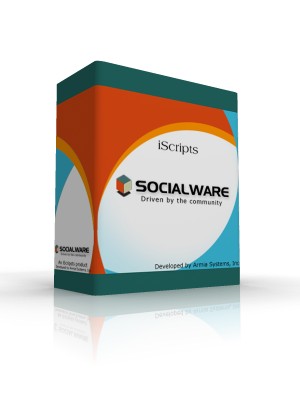
iscriptsbox1.jpg I’m sure that everyone reading this has heard of social network sites such as Facebook and Myspace. If you haven’t heard of these sites you’re either brand spanking new to the internet or you haven’t been paying attention because these sites are wildly popular.

Wouldn’t it have been cool if you’d been the one to come up with the idea for Myspace or Facebook?

While you can’t recreate what’s already been created, you certainly can create your own social network site using iScripts SocialWare social network script. Think of the possibilities!

The iScripts Socialware software is a program that’s been developed in PHP/mySQL and it’s totally customizable. You can use it to create a stand alone social network, or perhaps create a social network that goes along with your existing personal or business website.

If you like the idea, but you realize that you don’t know that much about PHP or mySQL don’t worry. When you purchase the iScripts software you may request that the iScripts team set up and install the script for you on your web server. The company will upload all of the program files and images necessary to run your new social network, set up and configure the script and they’ll even test the installation to make sure that everything works as it should.

How’s that for service?

Naturally this installation service is not free, however it’s offered at the low price of $49.99 which I believe is a reasonable price for the peace of mind it will afford you when you see that your new social network is up and running and ready to accept new members within approximately 24 hours of your purchase.

iScripts even offers a full customization service that clients may chose inquire about if they want a truly unique social network.

You can also try a Demo of iScripts Socialware via the website. Just click on the Demo button at the top of the Socialware page and you can sign in to a demo version of the user or admin section and get a feel for the product.

If I were considering purchasing this product I would definitely take it for a test drive, as well as visit some of the sample sites that are listed in the right sidebar of the web page, and I’d also view screen shots of the user and admin panels which can be reached by clicking on the Screen shots button at the top of the page.

So how much does this cost? Only $149.95. I think this is a reasonable price for a product that could give your existing website quite a boost, as well as creating the potential to be the next Myspace or Facebook. You’ll get free support for one year, but you can purchase one to three years worth of additional support if you’d like.

If I were considering creating a social network site this would be a program that I’d look in to purchasing. I did a quick web search to see what other ready made social network programs were out there and I didn’t have much luck finding full featured stand alone social network software of this quality. Therefore I’ve come to the conclusion that this is a fairly unique social network product well worth considering if you are interested in setting up a social networking website.

Filed Under: Computer Software, Items to Try, Social network, Technology, Web Forums, Webdesign Tagged With: configure, content, create your own social network, customization service, customize, demo, facebook, free support, images, install, installation service, iscripts, iScripts Socialware, members, myspace, mySQL, network sites, PHP, popular, popular social networks, sample sites, screenshots, Scripts, service, Social network, social network script, social networking website, Software, stand alone, support, test, web page, web server

The 411 on me

Tricia P

Nurse and Blogger, Photographer and secret TV addict. Chocoholic, dog lover and gardener ... More about me.

  • Facebook
  • Instagram
  • Twitter


Categories

Sites to Visit


Eavestrough Cleaning Toronto

Recent Posts

  • What Should You Do If Google Labels Your Website As ‘Malware’?
  • How To Make Your Business Stand Out Online
  • Give Your Animal Website Some Life!
  • QR Codes and How They Can Work For You
  • Forum Plugins For WordPress
  • 4 Most Common Blogging Mistakes Made by Small Businesses
  • Why Internet Marketing Just WORKS

Recent Comments

  • Robert Gloster Web Design Limerick on Forum Plugins For WordPress
  • sightseeing in pattaya Thailand on Bad Behavior plugin blocks site administrators – plugin now updated to resolve problem
  • Ramu Konidena on How To Make Your Business Stand Out Online
  • Emma Fernandes on 4 Most Common Blogging Mistakes Made by Small Businesses
  • Hanna Alex on How To Make Your Business Stand Out Online

Subscribe

  • Full Entries RSS
  • Comments RSS

Read WebStyle in
your RSS Reader


Get the WebStyle
Newsletter by E-mail

and keep up with the latest posts. It's FREE.


Follow us on Twitter!

Shopping

Computers, electronics,
gadgets, Gifts and More!
At our Amazon store.

Tags

affiliate articles blog Blogger Blogging Blogroll computer content domain download Google How To instructions Internet marketing keyword link listed market marketing monetize money plugin popular posts problem products promote register search engine search engine optimization search engines SEO Software tech Technology traffic Video visitors web host webmaster website Wordpress wordpress plugin Writing Yahoo

Site Stuff

Visitors


Meta

  • Log in
  • Entries feed
  • Comments feed
  • WordPress.org

Pages

  • About
  • Archive
  • Become a Guest Blogger for WebStyle
  • Blog
  • Blogrolls
    • Canadian Bloggers
    • Do Follow Bloggers
    • Toronto Bloggers
  • Contact
  • Disclosure
  • Links
  • Our Sites
  • Privacy Policy
  • Resources

Search

Archives

Copyright © 2026 · Metro Pro Theme on Genesis Framework · WordPress · Log in